 PODspy
Useful AI T-shirt design prompts describe the artwork you want: who it is for, what it shows, the exact wording, and how the pieces fit together. Below are 12 original briefs to copy and customize. The first three include generated artwork and a follow-up edit, so you can see what changed. The other nine are fresh starting briefs to try with your own niche.
The creative shortcut
- Copy a complete brief, then change the audience, phrase, or palette to make it your own.
- See three real generation-and-edit pairs, including a revision that only partly followed the instructions.
- Check the exported file separately: a good prompt does not set your print dimensions or create transparency.
A prompt formula you can reuse
Build your brief in this order: audience + subject + exact phrase + lettering and layout + palette + background. End by asking for artwork only if you want a graphic you can place on a product later. Otherwise, the model may include a shirt or a whole lifestyle scene.
For example: a graphic for weekend gardeners, one watering can, the words in quotation marks, two stacked lines, dark green and rust, and a plain background. These choices give you something specific to judge. Adding “300 DPI” to the text does not control the downloaded file’s pixel dimensions.
The three worked examples below were generated and edited with OpenAI image generation for this guide on October 30, 2026. Each edit used the first image as its reference. Try the same briefs in PODspy; the result will depend on the image model and settings you choose. These examples have solid backgrounds and have not been sample-printed.
Pottery: give the phrase more presence
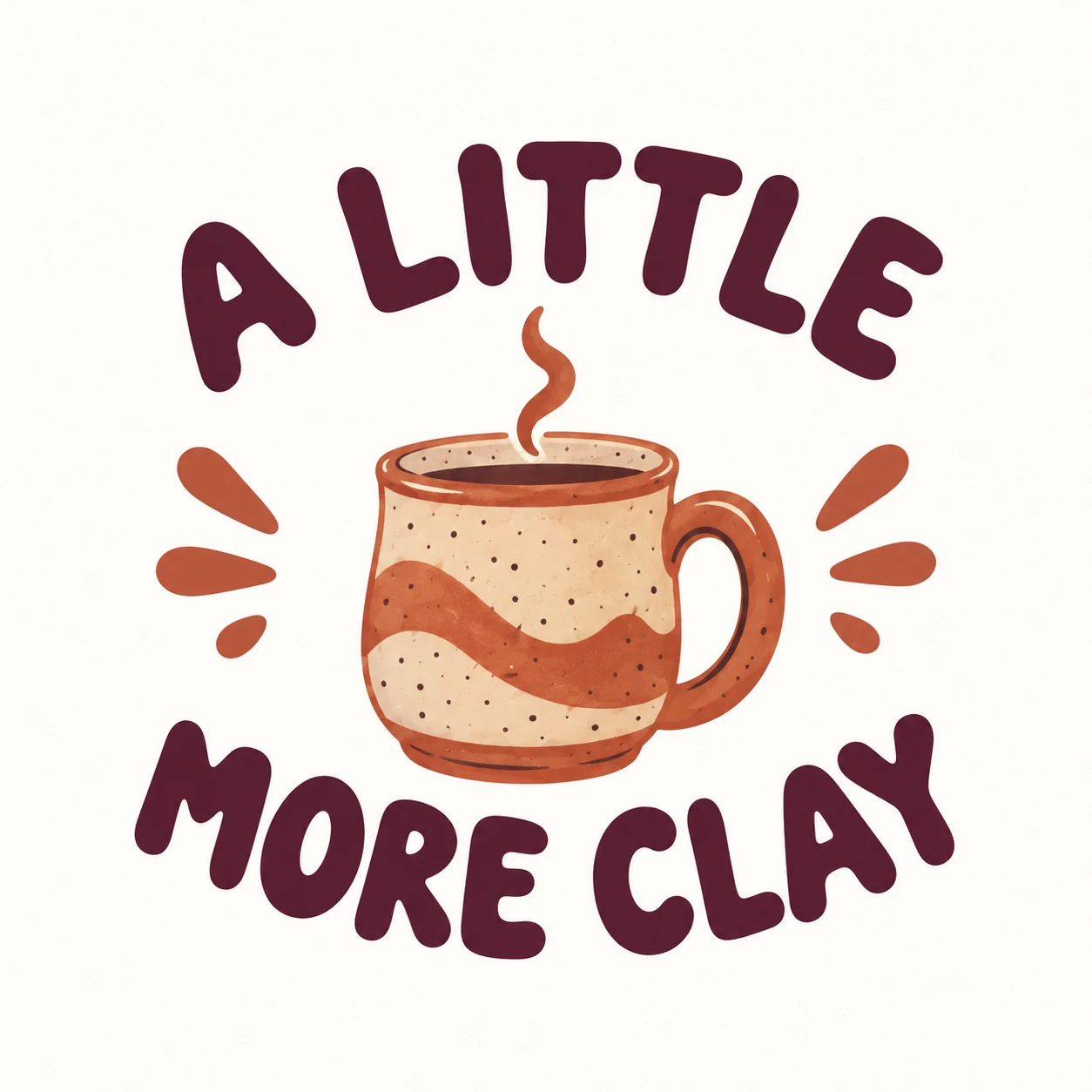
A recognizable object makes an easy starting point for a hobby design. Here, the first brief puts a ceramic mug at the center, surrounded by rounded lettering. The first result has the correct words, but the mug carries much of the visual weight.
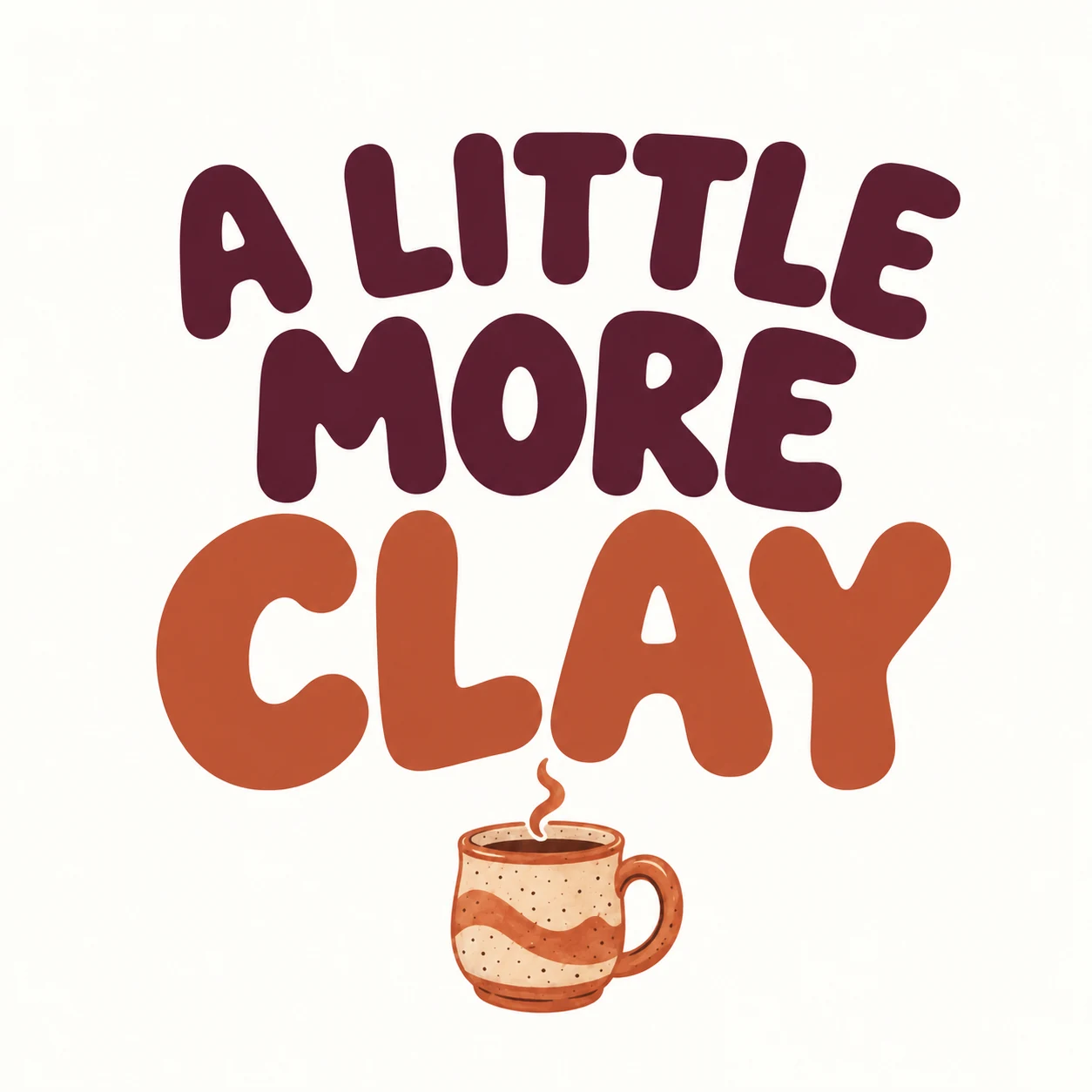
If you want a phrase-led shirt instead, ask for a clear change in hierarchy. The edit below makes “CLAY” much larger and turns the mug into a small accent. It also changes the word’s color. The top line stays curved despite the request for straight lines, so this is a useful revision with a remaining layout issue to review.
Create a square T-shirt graphic for people who love pottery. Include a small hand-drawn ceramic mug with a single steam curl, surrounded by the exact phrase "A LITTLE MORE CLAY". Use friendly rounded lettering, dark plum and terracotta, and a balanced centered composition on a plain warm-white background. Keep the artwork flat, with clean edges. Show the artwork only: no garment, person, mockup, watermark, or extra text.
Give the edit a clear job.
Try this edit with the first image attached as your reference. Judge the layout and color as well as the words; keeping the same palette does not guarantee that each element keeps its original color.
Make the exact phrase "A LITTLE MORE CLAY" the main focus. Arrange it on three straight lines: "A LITTLE", then "MORE", then "CLAY". Make "CLAY" the largest word. Reduce the mug to a small accent below the lettering and remove the decorative splash marks. Keep the rounded lettering, dark-plum and terracotta palette, and warm-white background. Keep the words spelled exactly as provided and add no other text.
Birdwatching: simplify a crowded badge
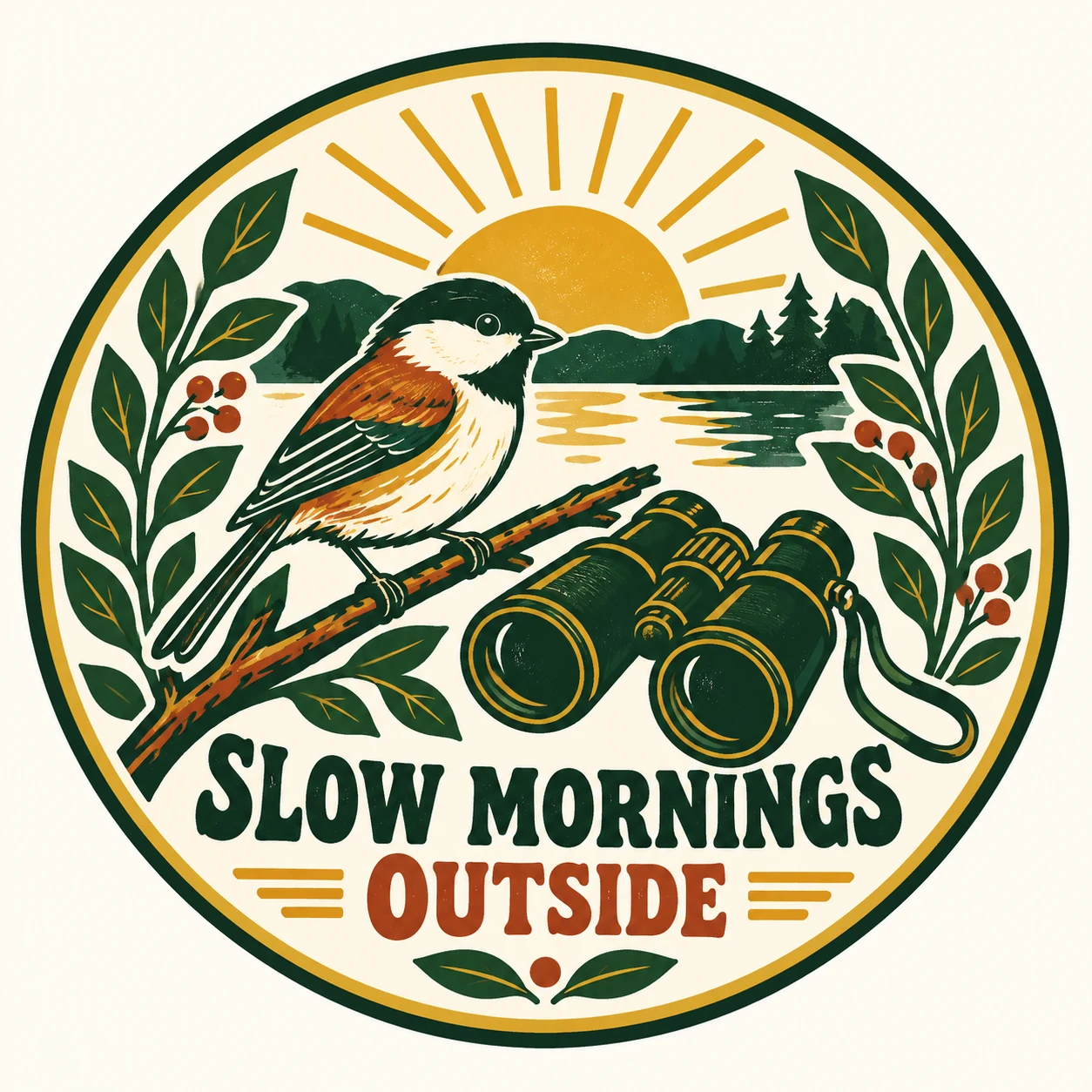
A retro badge can hold several related objects, but each one competes for space. This first prompt asks for a bird, binoculars, leafy stems, a sunrise, and a phrase. The result also adds scenery behind the bird.
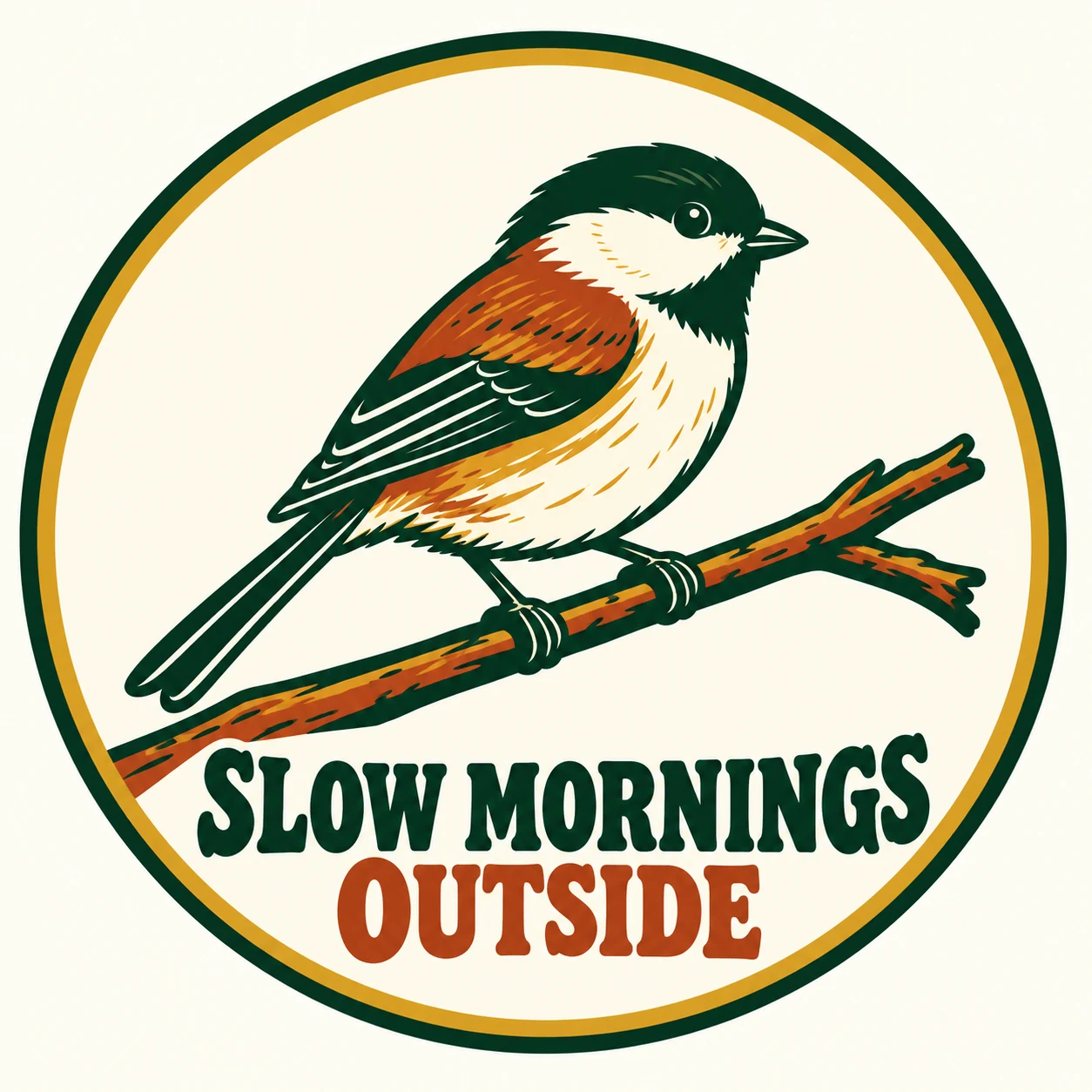
For a quieter design, choose the one subject you want people to notice. The revision removes the binoculars, landscape, sunrise, and leafy side stems. The bird becomes larger and the wording stays readable. Compare the two at thumbnail size before choosing which direction fits your product.
Create a square retro badge graphic for weekend birdwatchers. Show a small songbird on a branch, a pair of binoculars, two leafy stems, a sunrise, and the exact phrase "SLOW MORNINGS OUTSIDE". Use forest green, rust, and mustard, bold shapes, and an oval composition on a plain warm-white background. Show the artwork only: no garment, person, mockup, watermark, or extra text.
Give the edit a clear job.
Attach the first badge and name the objects to remove. “Make it simpler” leaves more of the decision to the model; listing the elements gives the edit a clearer target.
Simplify this badge. Remove the binoculars, sunrise, mountains, water, and leafy side stems. Keep one large songbird on one simple branch inside the oval border. Keep the exact words "SLOW MORNINGS OUTSIDE", the forest-green, rust, and mustard palette, and the warm-white background. Use bold flat shapes and no added ornaments. Keep the bird recognizable and the wording readable.
Home baking: plan a version for a dark shirt
Short phrases can work with a small supporting illustration. This brief pairs a bread loaf with “LET IT REST,” using dark-plum artwork on a light background. The lettering and loaf are easy to compare because the composition is restrained.
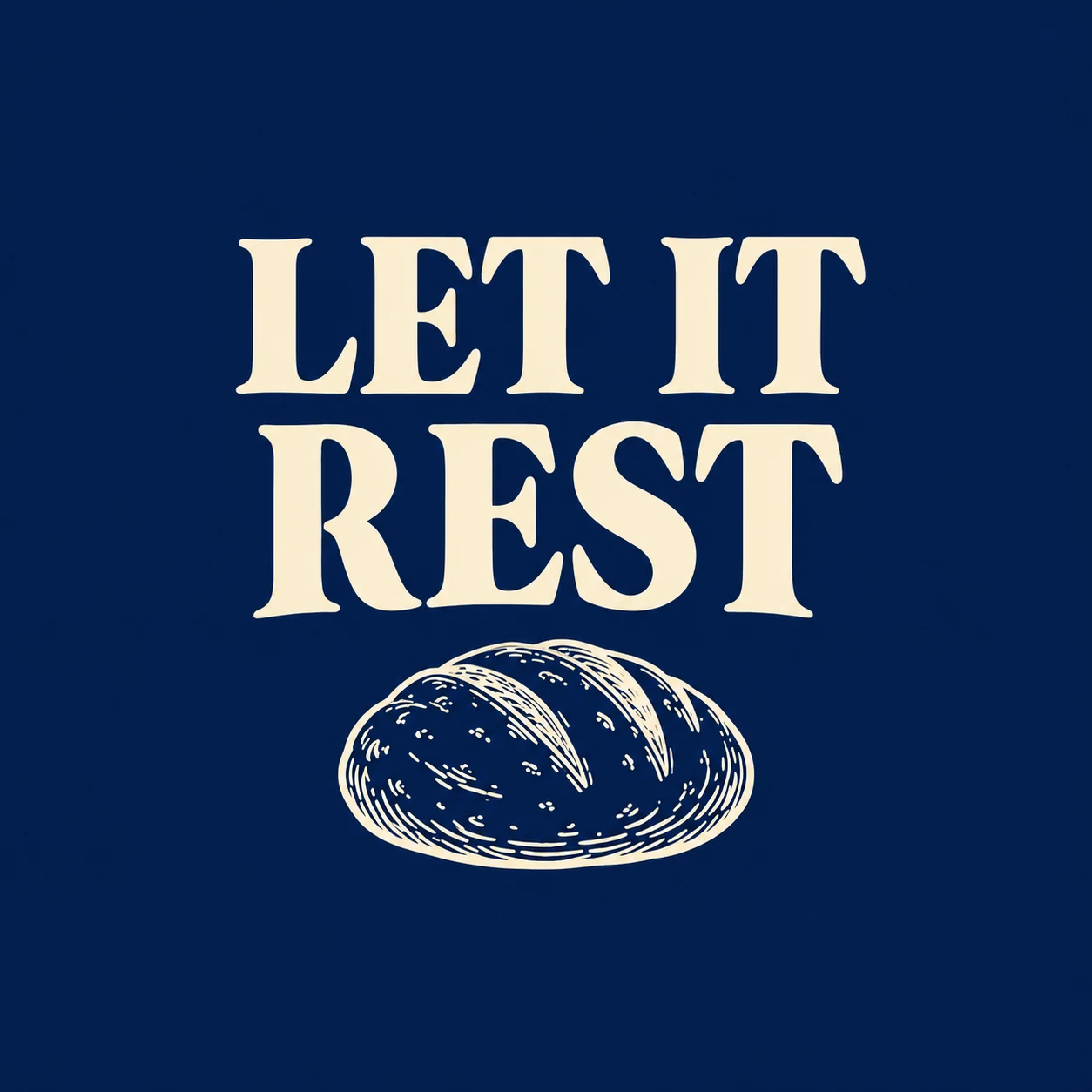
To explore a dark garment, ask for a color preview before preparing the production file. The edit changes the artwork to ivory and the background to navy while keeping the same words and general arrangement. The navy is a preview background. Remove it from the production artwork if you want the garment itself to show through.
Create a square minimalist T-shirt graphic for home bakers. Use the exact phrase "LET IT REST" in two lines of bold dark-plum serif lettering, above a small dark-plum line drawing of a loaf of bread. Keep generous spacing and a simple centered composition on a plain warm-white background. Use dark plum only for the artwork. Show the artwork only: no garment, person, mockup, watermark, or extra text.
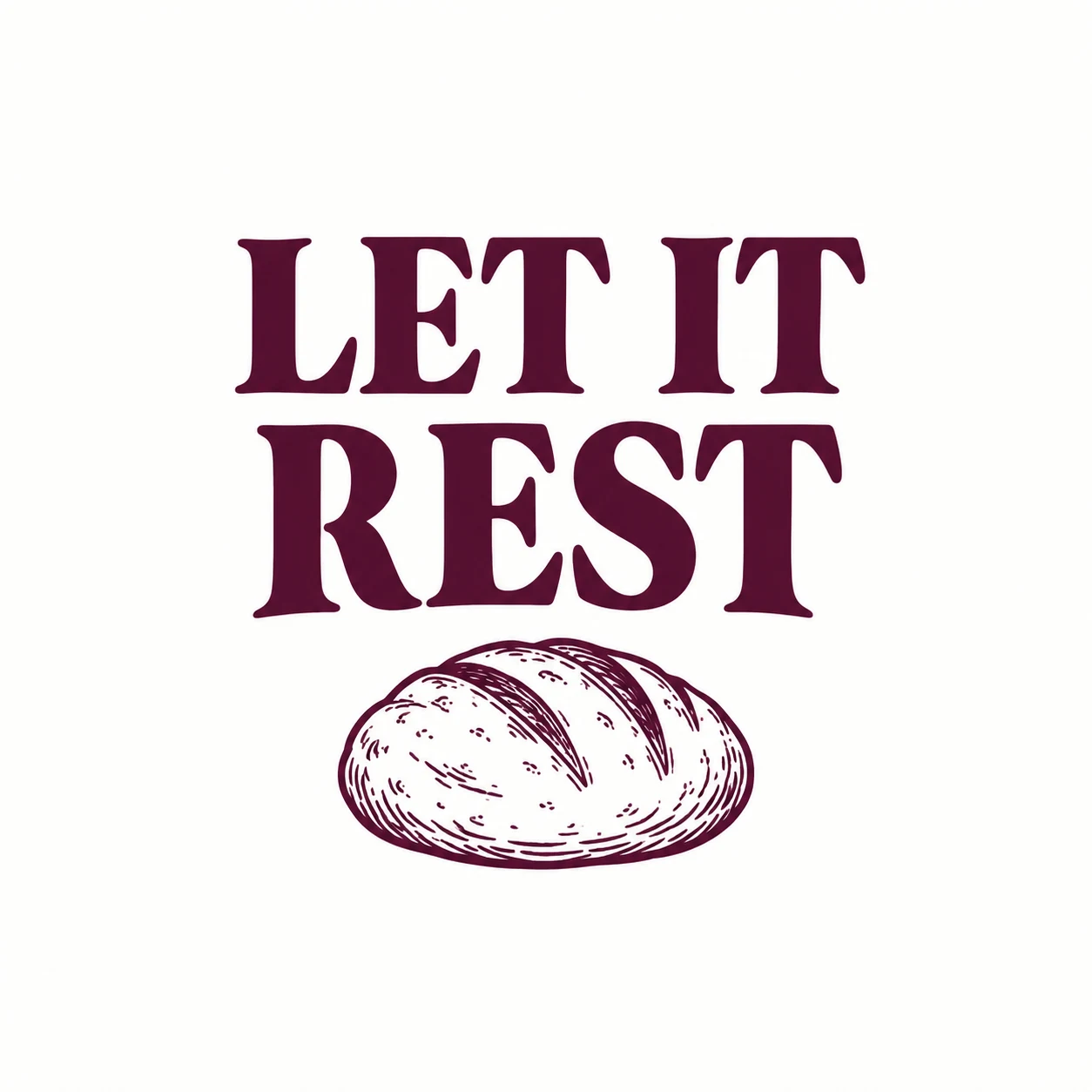
Give the edit a clear job.
Use the original image as the reference. Inspect the fine lines in the loaf after recoloring, then check the actual exported transparency separately from this preview.
Create a dark-shirt color preview of this design. Change the plain background to deep navy and change all dark-plum lettering and bread linework to warm ivory. Preserve the exact phrase "LET IT REST", the line breaks, relative scale, spacing, and bread illustration. Keep the flat artwork style. Do not add a garment, person, texture, shadow, border, or extra text.
Stargazing: a compact night-sky emblem
Give the night sky one focal object instead of filling it with tiny stars. This brief uses a telescope and an arched phrase. Change the palette for the garment you intend to use, then check that the telescope silhouette still reads at a small size.
Create a compact retro emblem for backyard stargazers. Show one simple telescope angled toward a crescent moon and three large stars. Curve the exact phrase "AFTER DARK, LOOK UP" above the illustration in sturdy serif lettering. Use warm ivory and muted gold, with clean bold outlines and generous gaps between elements, on a plain dark-navy background. Artwork only: no person, shirt, mockup, watermark, or extra words.
Quilting: let a geometric motif do the work
A quilt block gives the model a clear shape to organize. Ask for one large block and a short caption. If the points or seams become irregular, simplify the geometry before adding decorative stitching.
Create a flat graphic for quilters. Center one eight-point patchwork star made from large simple geometric pieces in dusty rose, mustard, and deep teal. Place the exact words "PIECE BY PIECE" beneath it in two balanced lines of bold slab-serif lettering. Keep the shapes crisp, the spacing open, and the background plain warm white. Artwork only: no fabric photograph, person, garment, mockup, watermark, or extra text.
Pickleball: build an uncomplicated club graphic
A sport design does not need a detailed action scene. A paddle, a ball, and a strong word arrangement can establish the subject. Check that the paddle handle and ball holes remain recognizable after generation.
Create a vintage recreation-club graphic for casual pickleball players. Show one paddle and one perforated ball, with the exact phrase "JUST ONE MORE GAME" in bold arched collegiate lettering above and below. Use deep green and faded coral, a centered compact layout, and very light distressing that leaves every letter intact. Plain warm-white background. Artwork only: no existing team logo, person, shirt, mockup, watermark, or extra text.
Reading: pair a familiar object with a small surprise
Give a familiar reader motif one distinctive detail. Here, a tiny moon rising from the book establishes a nighttime mood without requiring a whole scene. Keep the caption dominant enough to read when the design is shown on a shirt.
Create a cozy graphic for people who read late at night. Show an open book with a tiny crescent moon rising from its pages. Include the exact phrase "PAST MY BOOKTIME" in clear rounded serif lettering on two lines. Use muted lavender, dark plum, and warm gold. Center the artwork, leave generous negative space, and use a plain warm-white background. Artwork only: no person, garment, mockup, watermark, or extra words.
Floristry: use a loose bouquet and a clear caption
Choose a small number of flower shapes so the bouquet stays easy to recognize. The twine tie gives the arrangement a center. If the lettering gets tangled in the stems, ask for a separate caption area.
Create a hand-drawn graphic for flower arrangers. Show a loose bouquet of three large daisies and two leafy stems tied with simple twine. Put the exact phrase "STEMS BEFORE SCREENS" below the bouquet in bold slightly irregular block lettering. Use coral, mustard, and dark green, with flat color and clean edges. Keep the caption separate from the stems on a plain warm-white background. Artwork only: no person, shirt, mockup, watermark, or extra text.
Dog walking: show one recognizable moment
A small action can tell the story without adding an owner, street, or park. This prompt uses a waiting dog and a leash. Check the paws, collar, and leash connection before using the result.
Create a playful flat illustration for early-morning dog walkers. Show one cheerful terrier sitting beside a loosely coiled leash, looking expectantly upward. Add the exact phrase "FIRST WALK, THEN TALK" in bold friendly lettering around the top and bottom. Use rust, dark teal, and warm cream in a compact centered composition on a plain warm-white background. Artwork only: no human, detailed scenery, garment, mockup, watermark, or extra words.
Chess: make a simple shape carry the idea
One chess piece is easier to control than a complete board. A few large squares supply the context. Ask for a readable silhouette and inspect the piece for accidental extra edges.
Create a clean graphic for casual chess players. Show one bold knight chess-piece silhouette above four large checkerboard squares. Place the exact words "TAKE YOUR TIME" in two lines of heavy condensed sans-serif lettering. Use black and muted sage, flat shapes, and generous spacing on a plain warm-white background. Artwork only: no complete chessboard, person, garment, mockup, gradients, watermark, or extra text.
Running: make the message the main event
For a phrase-led design, specify the line breaks and supporting icon. A single sun can give the lettering a mood without drawing attention away from the words. Proofread punctuation as carefully as the letters.
Create a typography-led graphic for relaxed weekend runners. Use the exact phrase "MY PACE. MY MORNING." on three balanced lines in sturdy rounded sans-serif lettering. Add one small rising-sun icon beneath the words. Use burnt orange and dark navy, flat colors, broad letter strokes, and a centered layout on a plain warm-white background. Artwork only: no runner, shoes, garment, mockup, shadow, watermark, or extra text.
Coffee brewing: keep the equipment recognizable
A simple brewing tool gives a hobby graphic specificity. With this brief, check the dripper and server shapes before you judge the decorative details. You can adapt the idea to another brewing method while keeping the same layout.
Create a vintage line-art graphic for home pour-over coffee enthusiasts. Show one cone-shaped coffee dripper sitting on a small glass server, with two simple steam curls. Include the exact phrase "A SLOWER START" in clear arched serif lettering above. Use one dark-brown ink, clean moderately thick lines, and an uncluttered centered composition on a plain warm-white background. Artwork only: no brand names, detailed kitchen, person, shirt, mockup, watermark, or extra words.
Make a prompt fit your own niche
Choose one brief and change one major decision first. A pottery layout might become a sewing graphic by replacing the mug with a spool of thread and writing a new phrase. Keep the lettering style and palette while you decide whether the new subject works.
Then save a version you like before changing another part. If you swap the audience, illustration, palette, and wording all at once, it is harder to tell which change helped. An image reference can help carry a visual direction into an edit, but the result still needs review.
- Subject: use a detail your buyer recognizes.
- Wording: replace the sample phrase with your own wording and check it before listing.
- Layout: choose whether the illustration or the phrase should lead.
- Color: preview on the actual garment colors you plan to offer.
Turn the artwork into a file you can use
Use Try in PODspy beneath a brief to open Generate Image with the full prompt already filled in. Review the model, style, and aspect-ratio controls before generating. For a revision, bring the first image into an editing or remix workflow and describe the change. Generation uses credits; choose your settings before submitting.
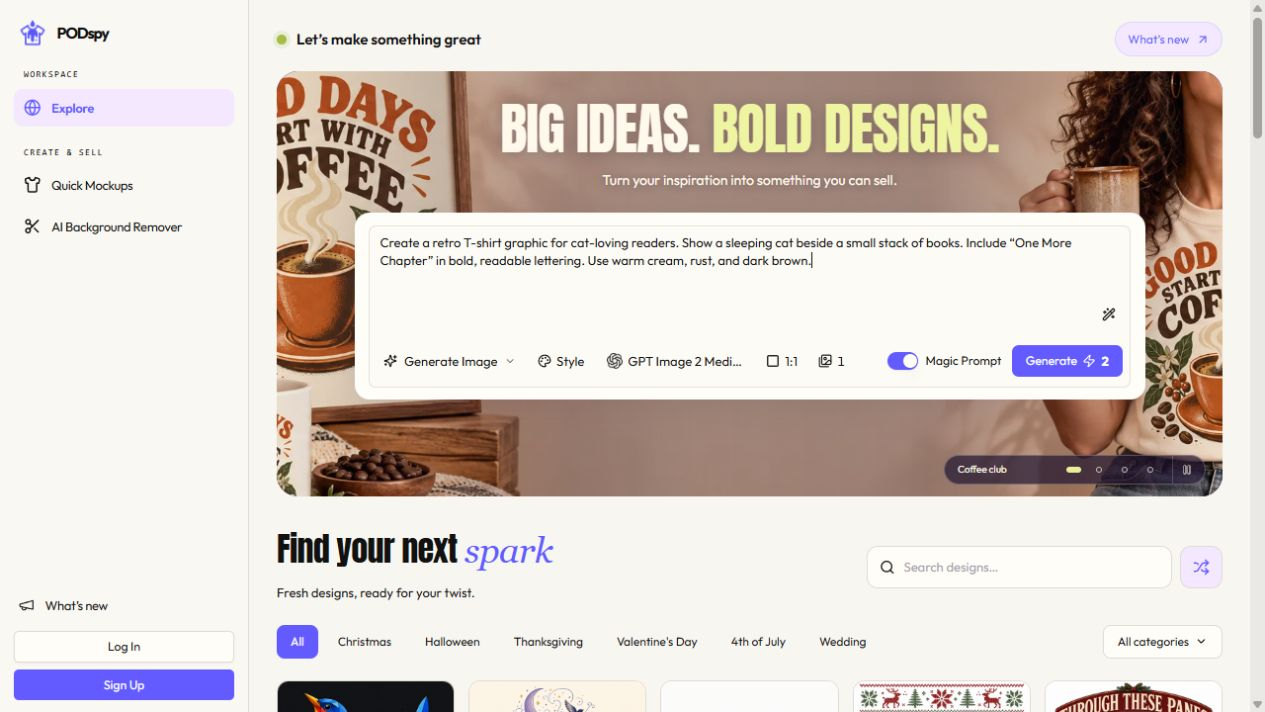
After choosing a result, inspect the exported file. A plain white background is still a background. If the garment should show through, prepare a file with real transparency and check the edges against both light and dark colors. The navy baking example above is a color preview with a solid background.
Check your exact product’s print template for dimensions and format. Printify recommends 300 DPI for JPEG and PNG files while noting that requirements depend on the product. At 300 pixels per inch, a 12 × 16 inch print area needs 3,600 × 4,800 pixels. Changing a DPI label alone does not add image detail.
Printful recommends checking format, resolution, color profile, and transparency against the product guidelines; PNG is usually suitable for DTG transparency. The illustrations in this article are 1,254 × 1,254 pixels and are web examples, so prepare a suitably sized production file before printing. Then use a mockup to assess placement and a sample to assess the physical result.
Questions about AI T-shirt design prompts
Why does the AI draw a shirt instead of artwork? The words “T-shirt design” can invite a product scene. Describe the graphic itself and finish with “artwork only, no garment, no person, no mockup.” Inspect the result and revise if it still includes those elements.
How do I fix misspelled text? Keep the phrase short, put it in quotation marks, and specify the line breaks. Review every letter after each generation and edit. If the wording remains unreliable, replace it in a text editor rather than repeatedly accepting almost-correct letters.
Does asking for a transparent background guarantee a transparent PNG? No. The tool and export workflow must support transparency. Open the file against different background colors and inspect its alpha channel; a white or checkerboard picture is not proof of transparency.
Can I reproduce the examples exactly? The briefs give you a starting direction. Model choice, settings, reference images, and generation variability affect the result. Keep the versions worth developing and use a focused edit when one part needs work.


