 PODspy
Creating T-shirt designs with AI starts with a clear idea, not a perfect prompt. In PODspy, you can use inspiration, generation, remixing, and editing to develop that idea without arranging every element by hand. This guide shows how to keep the process focused and decide whether it saves enough work to become part of your regular routine.
The creative shortcut
- Start with a specific buyer, subject, phrase, and visual style.
- Generate a first direction, then refine one clear detail at a time.
- Check the exported artwork before previewing it on a product.
Write a brief for one specific buyer
Start by choosing who the shirt is for and what they should connect with. “A shirt for book lovers who also love cats” is a more useful direction than “a cool shirt.” It gives you a subject, a mood, and a reason someone might wear the result.
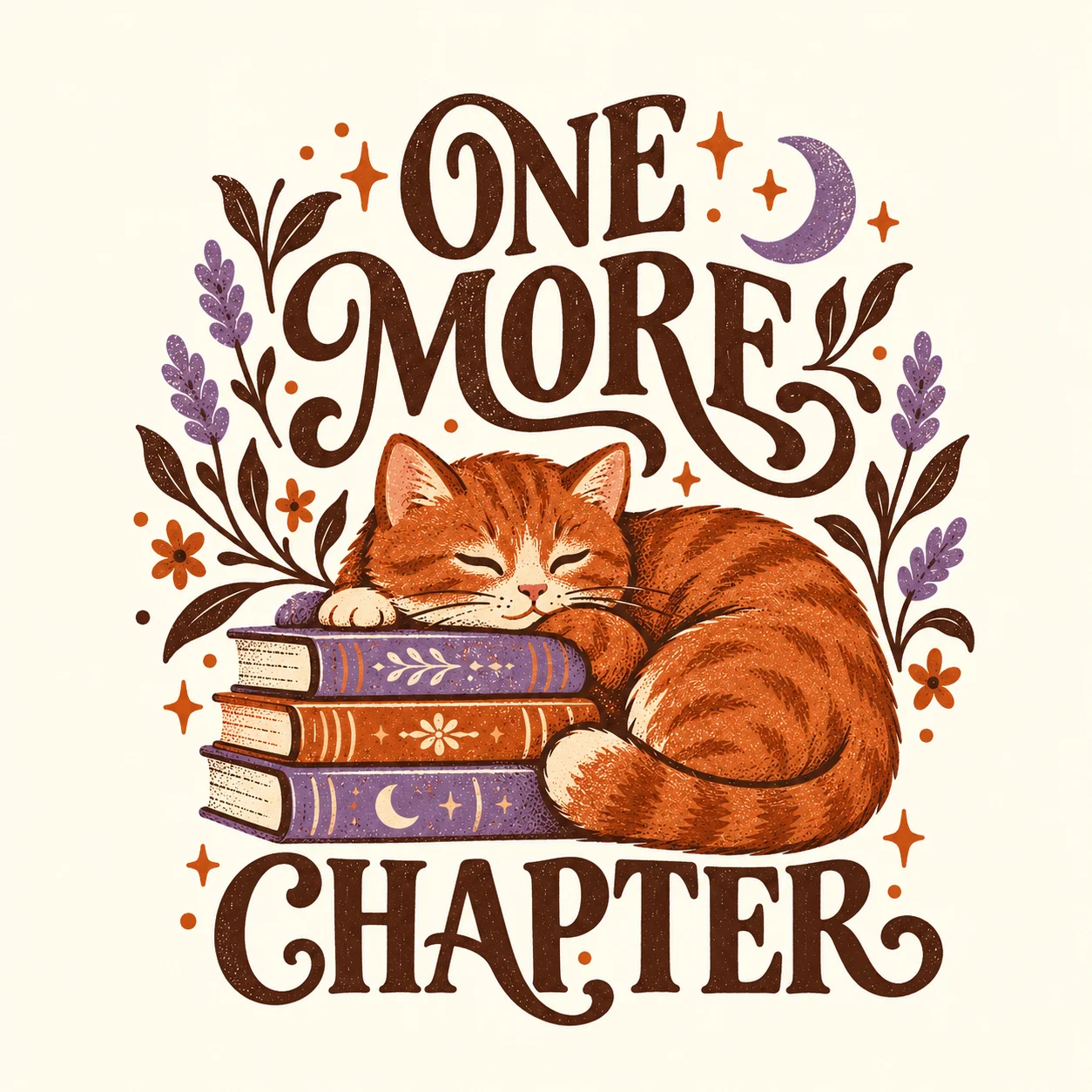
One More Chapter
Book lovers × cat peopleMake it yours.
Decide on the exact wording before you generate. Short phrases are easier to judge at shirt size. Add a visual style and a limited palette so you can compare results against the same brief instead of chasing a new direction on every attempt.
- Audience: cat-loving readers.
- Main subject: a sleeping cat beside a stack of books.
- Words: “One More Chapter.”
- Style: retro illustration, readable lettering, warm colors.
Choose a starting point in PODspy
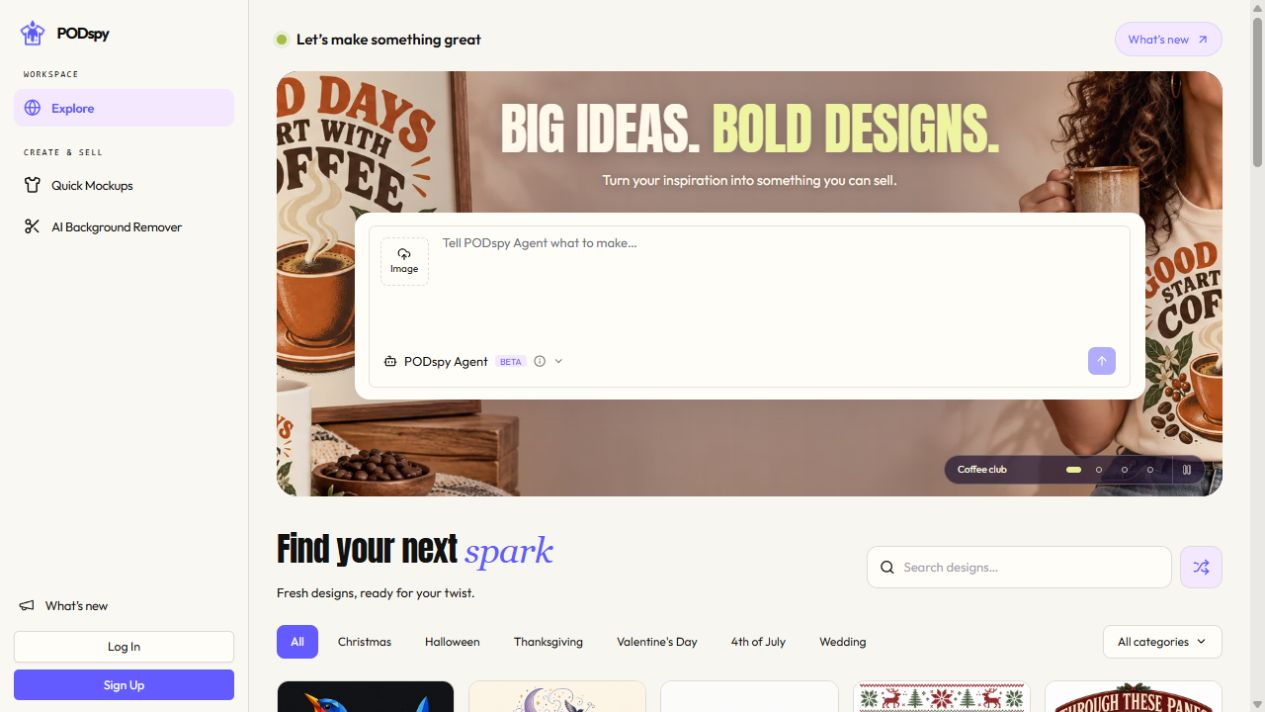
Browse Explore if you need help choosing a composition or visual direction. Look at how a design balances its main subject, lettering, and empty space. The screenshot shows real gallery designs and the Remix controls on each card. The cover illustrates the cat-and-books concept used in the sample brief.
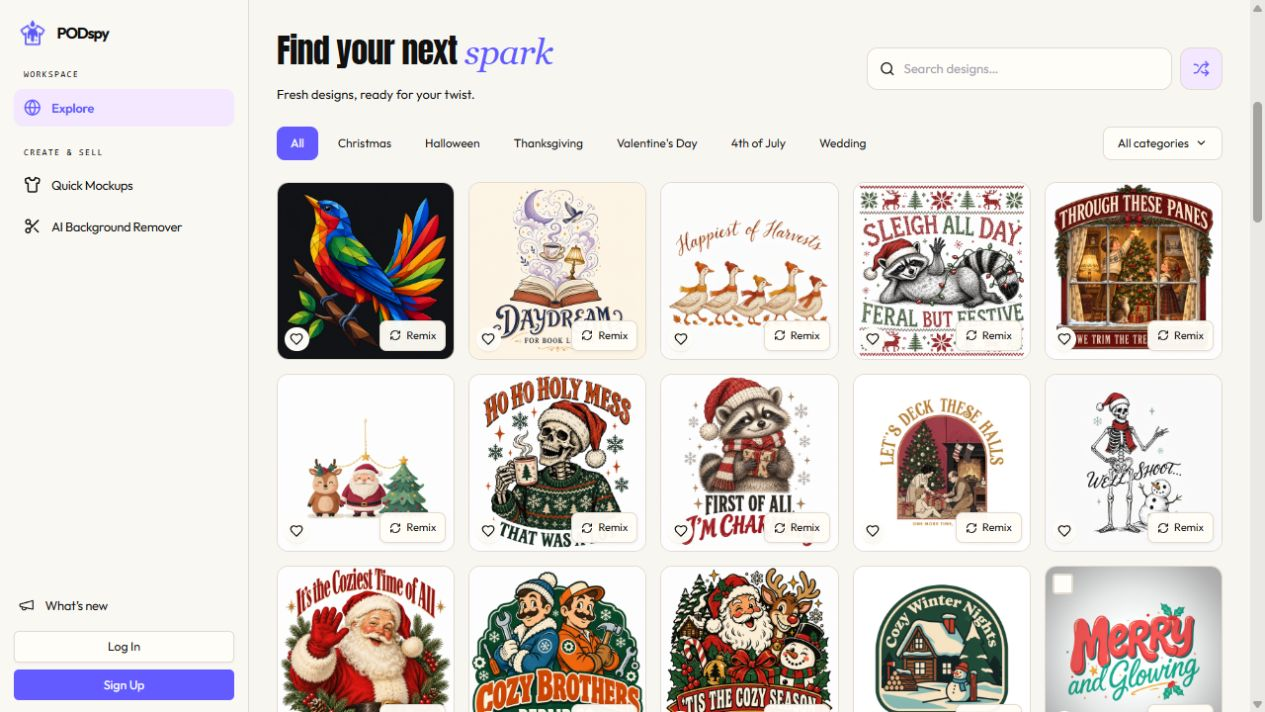
Use your own reference or an image you have permission to use when working from existing artwork. Take the lesson from the layout or style and develop your own concept. Changing a few words on someone else’s artwork is not a reliable way to make an original product.
If your idea is already clear, start in the generation workflow. If a reference gives you a better starting direction, use the remix workflow and specify the audience or subject you want to change.
Generate a first design with a focused prompt
Choose Generate Image from the creation-mode menu in Explore. Describe the subject, exact phrase, style, and composition in plain language. The controls beneath the prompt let you choose a model, style, and aspect ratio before generating. Give the model enough direction to create a useful option, then review what it actually produced.
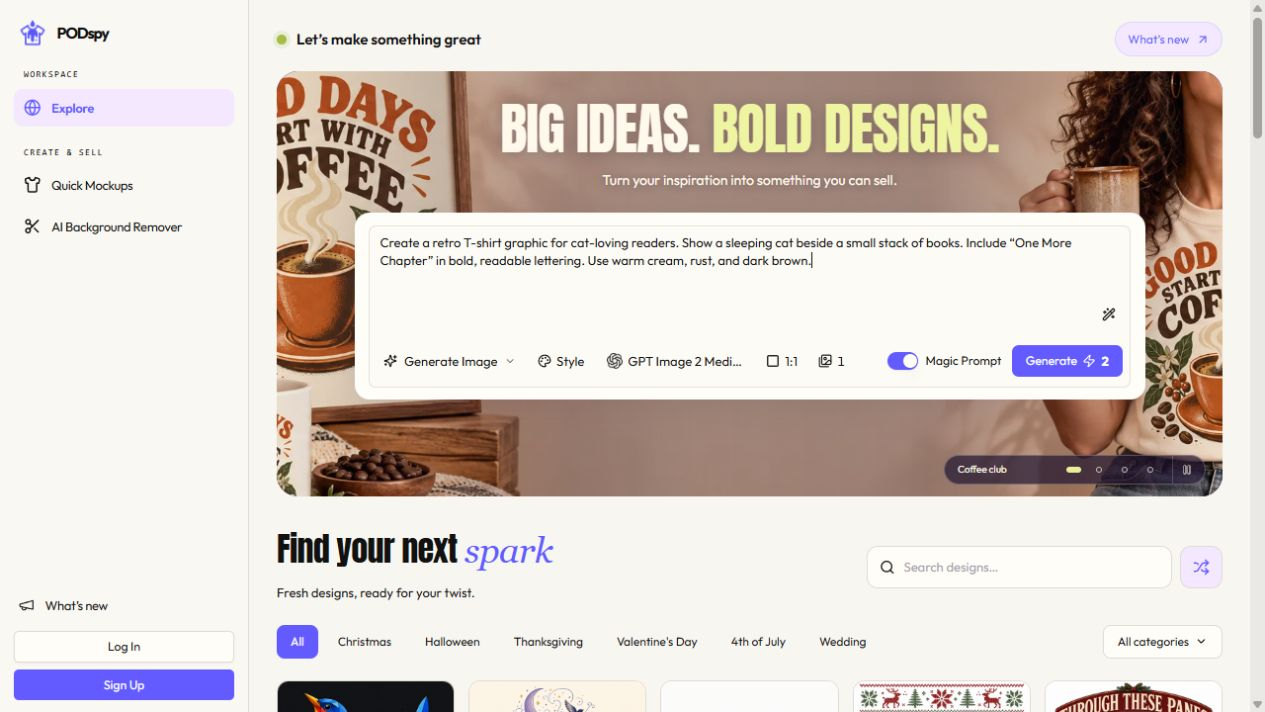
The example below is a starting brief to try, not a promise that every generation will produce the same result. A plain background can make the artwork easier to inspect, but it does not guarantee a transparent file.
Create a retro T-shirt graphic for cat-loving readers. Show a sleeping cat beside a small stack of books. Include the exact phrase “One More Chapter” in bold, readable lettering. Use warm cream, rust, and dark brown. Center the composition on a plain background and keep small details minimal.
Change one thing at a time
Choose the result closest to your brief and identify the main problem. Is the wording hard to read? Does the illustration overpower the phrase? Is the composition too busy? Use the editing or remix workflow to work on that specific issue.
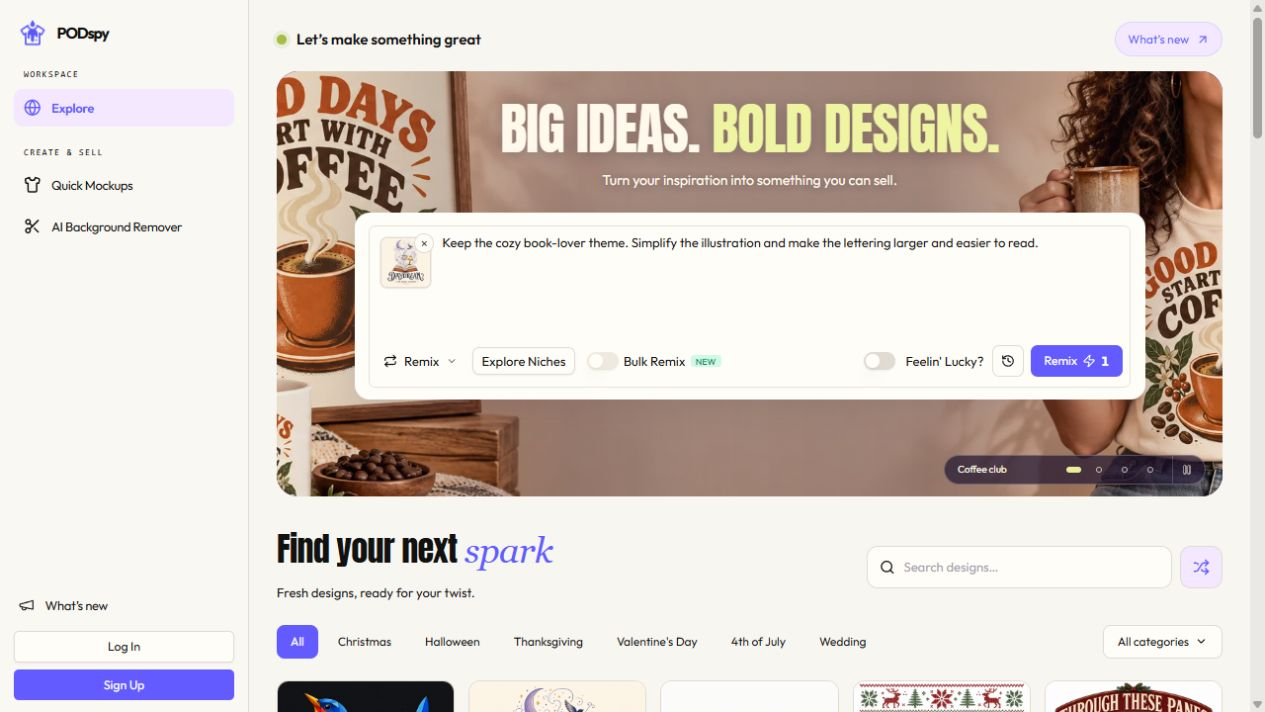
Changing the wording, style, subject, and palette at once makes it hard to know what improved the design. Keep the parts you like and ask for one clear adjustment, such as larger lettering or a simpler illustration. Save the strongest version before exploring another direction.
Review every new result. An edit can introduce a spelling error or alter an element you wanted to keep. The time saved comes from reaching a good version with less manual assembly, while still leaving room for your judgment.
Check the artwork, then preview it on a product
A design that looks good in a preview may still need work before printing. Check the actual exported file, especially lettering, edges, stray marks, and any areas that need transparency. Compare its pixel dimensions and file format with the requirements for your chosen product and print provider.
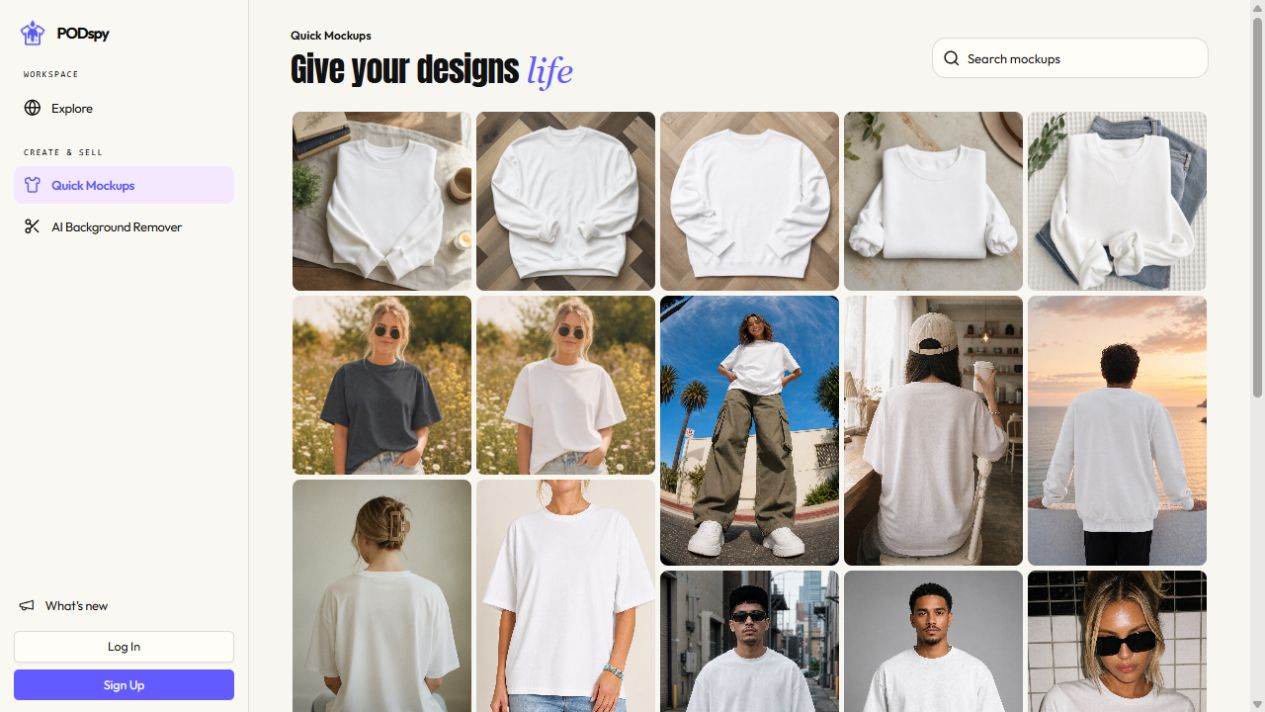
Use a mockup to assess the scale and placement on a shirt. Look at it at a normal viewing size: if the joke, phrase, or main subject only works when zoomed in, simplify it. Mockups help you judge presentation; they do not confirm print quality.
Before selling, review your rights to the inputs and any phrases, logos, or recognizable characters in the result. Your print provider and marketplace may also have their own requirements. If the final output still needs cleanup, include that work in your production process.
Measure the value of a faster design workflow
To decide whether PODspy is worth paying for, use a real design brief and time the whole session. Include browsing, generation, revisions, and final checks. Compare that with the work you would normally do to reach a similar result.
For example, saving 15 minutes on each of 10 designs would recover 2.5 hours. That is illustrative math, not a measured PODspy benchmark. Your own result depends on the brief, model, number of revisions, and how you prefer to design.
A paid plan is most useful when the workflow fits work you repeat: developing new ideas, trying variations, and creating mockups. Review current prices and credit allowances, including the cost of retries. The goal is a dependable process you want to use again for your next design.


